Product Walkthrough
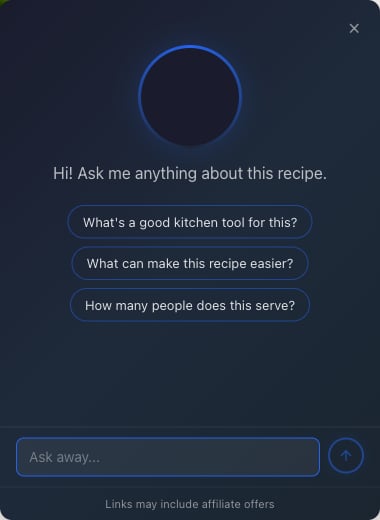
What It Looks Like
When a visitor opens the widget, they see a welcome message and up to three starter questions you configure:
Try It Live
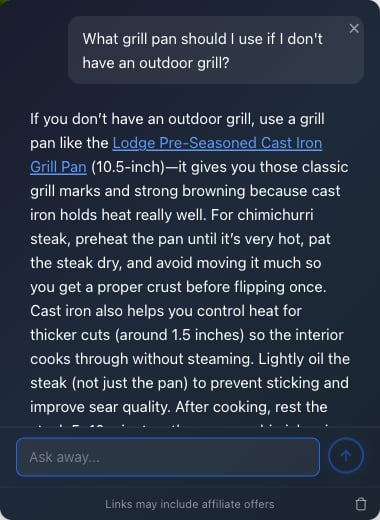
Try It Live On Copper Pot
Open the live recipe page and test the embedded ChatAds widget in a real content experience.
The Dashboard
Everything is managed from app.getchatads.com. The dashboard has six tabs:| Tab | What it does |
|---|---|
| Usage | Daily message pacing against your plan limit, plus charts of page loads, messages, and affiliate link clicks. Includes a click log CSV export. See Analytics & Conversations. |
| Set-Up | Widget key, embed snippet, allowed domains, page rules, and access controls. See Installation and Widget Configuration. |
| Customize | Site name, welcome message, starter questions, colors, button text and position, page context, and a custom AI prompt. See Customization. |
| Monetize | The two monetization toggles, Amazon Associates tags (US + UK), ad frequency controls, and product quality filters. See Monetization. |
| Conversations | Read transcripts of what visitors asked and how the AI answered, with search and CSV export. See Analytics & Conversations. |
| Plan & Billing | Your tier, daily message limit, payment method, and invoices. See Plans & Billing. |