

Usage
The Usage tab shows:- Daily pacing - today’s message count against your plan’s daily limit, with a progress bar.
- Usage chart - page loads, messages, and affiliate link clicks over time, with day or month granularity and preset timeframes (today through year-to-date).
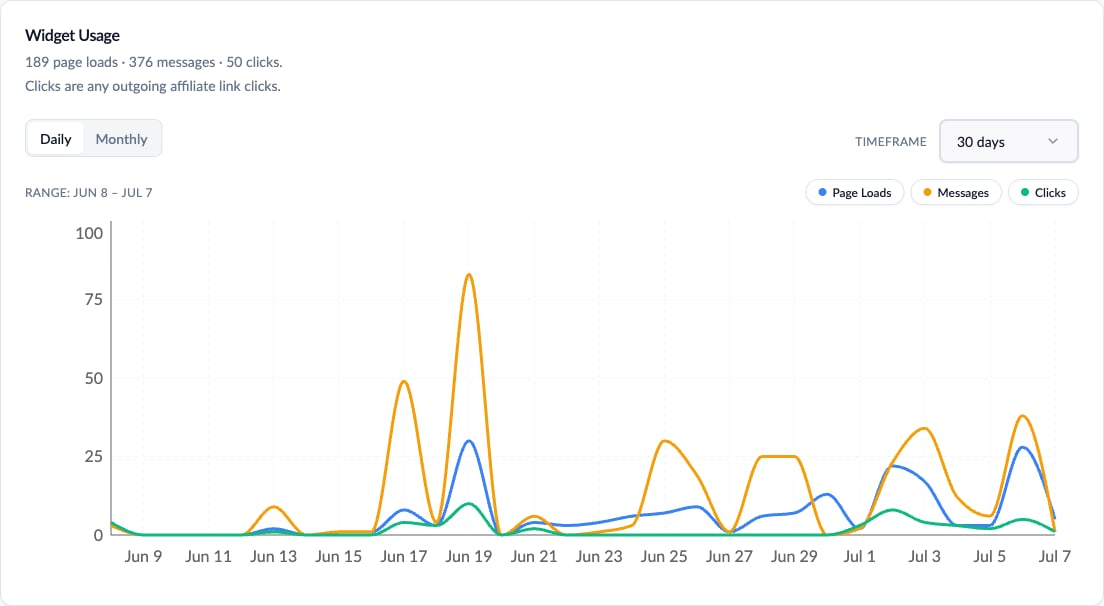
The usage chart: page loads, messages, and clicks over 30 days
Click Log Export
The Usage tab also offers a CSV export with one row per link click inside AI replies, covering the last 90 days (up to 10,000 rows, newest first). Use it to reconcile ChatAds clicks against your affiliate network reporting.Conversations
The Conversations tab shows full transcripts of what visitors asked and how the AI answered, grouped into sessions, newest first. You can search across them or expand any conversation to read the whole back-and-forth.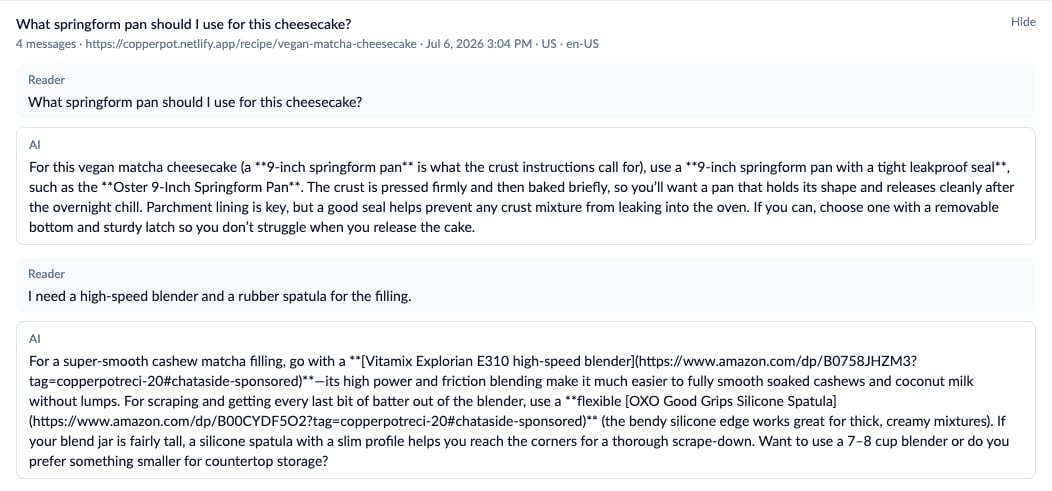
An expanded conversation transcript
Logging, Retention, and Export
- Logging is on by default. Turn it off with the “Log conversations” toggle at the top of the tab - new messages stop being stored immediately.
- Visitor messages are PII-stripped before storage (emails, phone numbers, and similar are removed).
- The list shows the latest 100 conversations; search covers the latest 1,000 messages.
- A “Download CSV” button exports up to 10,000 messages from the last 90 days.
- Logs are retained for 90 days, then deleted automatically - export the CSV if you want to keep them long-term.