

Appearance
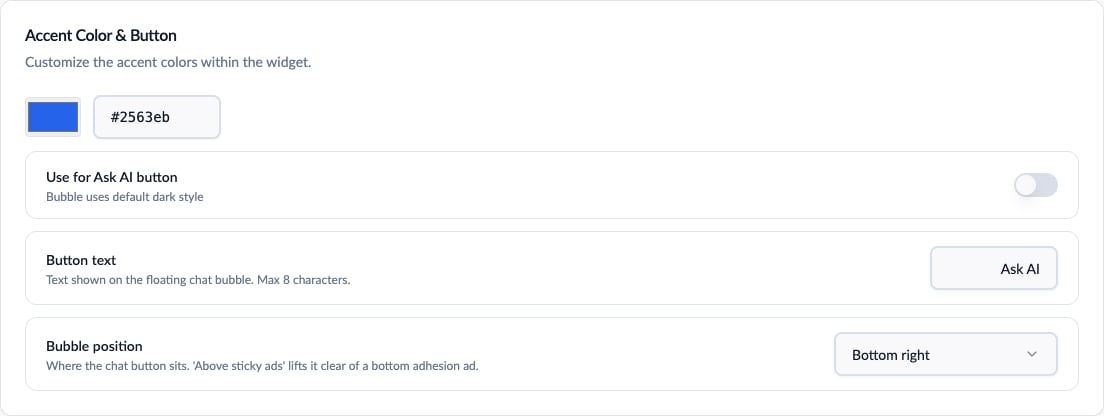
Accent color, launcher button text, and bubble position
- Site name - your site’s name (up to 100 characters). The AI uses it to introduce itself as an assistant for your site.
- Accent color - the color of accents within the opened widget. Optionally apply it to the launcher button too; otherwise the launcher uses the default dark style.
- Button text - the label on the launcher pill. Defaults to “Ask AI”, up to 8 characters.
- Bubble position - which bottom corner the launcher sits in. The “above sticky ads” variants lift it clear of anchor/adhesion ad units.
- Welcome message - shown in the middle of the widget when it first opens, up to 200 characters.
- Branding - Free and Pro plans show “Powered by ChatAds”. The Business plan can hide it. See Plans & Billing.
Starter Questions
Up to 3 short prompts (50 characters each) shown as pill buttons in the empty chat panel. When a visitor clicks one, it sends immediately. Use them to surface the questions your readers actually ask - the Conversations tab is a good source.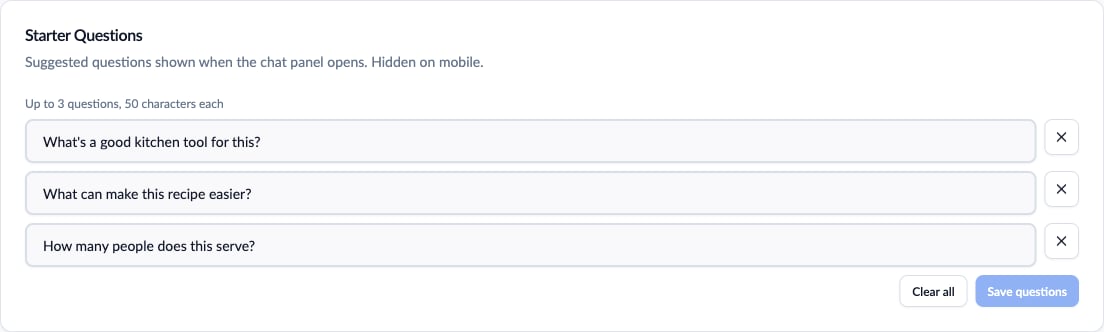
Starter questions configured for a recipe site
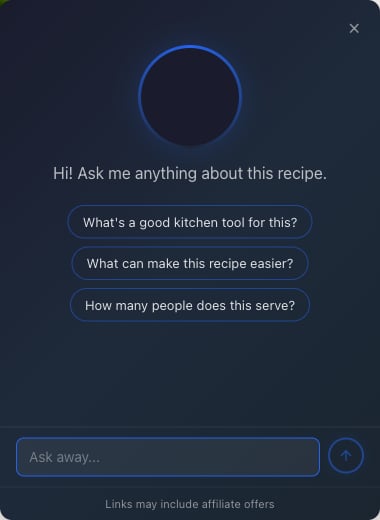
How starter questions look to a visitor
Page Context
Page context makes ChatAds article-aware. When enabled (the default), the widget sends the current page’s content once, the first time a visitor opens the chat, and ChatAds extracts roughly the first 1,000-2,000 words of relevant content from it - depending on your plan (Free 1,000 / Pro 1,500 / Business 2,000) - so the assistant can answer questions about that specific article for the rest of the conversation. Extracted content includes:- Headings, paragraphs, list items, and table cells
- Affiliate links already present on the page (Amazon and supported affiliate network links)
If you turn page context off, ChatAds behaves like a standard site chatbot and relies less on the current page.
Custom Prompt
You can add up to 500 characters of custom instructions, sent to the AI with every message. ChatAds already provides a robust prompt covering page content, metadata, prompt-injection blocking, and chatbot behavior; use this field for anything specific to your site - a brand voice note, a topic to avoid, a fact the AI should know.What the AI declines by default
Out of the box, the assistant is scoped to your site’s topic. It answers anything related to your site’s overall theme - including practical questions about choosing, buying, using, or maintaining things you cover - but politely declines requests that have nothing to do with it. It also declines these categories when they’re unrelated to your site: games, roleplay, coding help, homework, math problems, trivia, politics, creative writing, translation, jokes, songs, and general life advice. When one of those does connect to your site’s topic (a cooking-time calculation on a recipe site, say), it answers normally.Widening the scope
If your site is intentionally broad - a general Q&A site or a multi-topic publication - the default scoping can feel too strict. Use the custom prompt to widen it, for example: “This site covers general knowledge across many topics. Treat any sincere question as on-topic and answer it directly.” Your custom instructions are sent after the defaults, so they take precedence for topic scope.The custom prompt adjusts the AI’s behavior only. It can’t disable ChatAds’ separate message screening, which blocks spam, prompt injection, and a small set of clearly off-topic requests before they reach the AI.