> ## Documentation Index
> Fetch the complete documentation index at: https://docs.getchatads.com/llms.txt
> Use this file to discover all available pages before exploring further.
# Your Account
> Profile, sign-in, personal data export, and account deletion
Team-wide settings (widget configuration, billing, members) live with your [team](/guides/team-management); the **Account** page holds what's personal to you. To open it, click the **gear icon** in the top-right of the dashboard and choose **Account**.
## Profile & Sign-In
The **Profile Information** card holds your display name. Your email address is your sign-in identity and can't be edited from the dashboard; if you need to change it, [contact support](mailto:team@getchatads.com).
ChatAds uses **passwordless sign-in**: there's no password to set or reset. Enter your email on the sign-in page and click the magic link we send you.
## MCP User Key
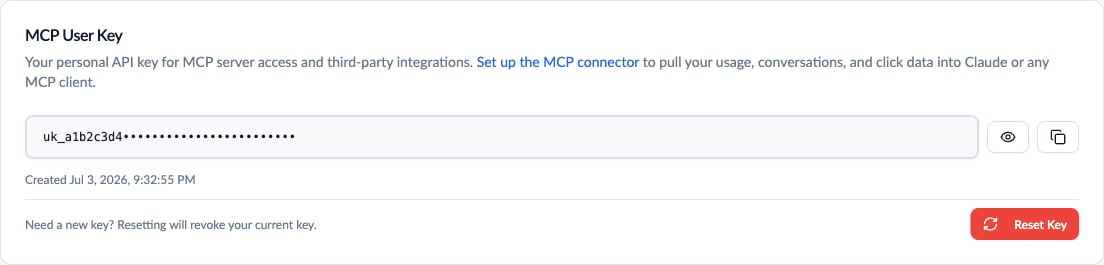 Your **User Key** (`uk_...`) is a personal, read-only credential for pulling your widget's usage, conversations, and click data into Claude or any MCP client - see the [MCP Connector](/guides/mcp-connector) guide for setup. It's tied to you, not the team, so each teammate uses their own.
Treat it like a password. If it leaks, click **Reset Key**: the old key stops working immediately and a new one is issued.
## Support User ID
The **Support User ID** card shows the identifier for your individual login. Include it (or your [Team ID](/guides/team-management#team-name--team-id)) when contacting support so we can locate your account without back-and-forth.
## Exporting Your Personal Data
The **Data Export** card downloads everything ChatAds stores about you personally - your profile, team memberships, and activity history - as a JSON file, per GDPR's data-portability right (Article 20). Team-level data has its own export on the [Team page](/guides/team-management#exporting-team-data).
## Deleting Your Account
Your **User Key** (`uk_...`) is a personal, read-only credential for pulling your widget's usage, conversations, and click data into Claude or any MCP client - see the [MCP Connector](/guides/mcp-connector) guide for setup. It's tied to you, not the team, so each teammate uses their own.
Treat it like a password. If it leaks, click **Reset Key**: the old key stops working immediately and a new one is issued.
## Support User ID
The **Support User ID** card shows the identifier for your individual login. Include it (or your [Team ID](/guides/team-management#team-name--team-id)) when contacting support so we can locate your account without back-and-forth.
## Exporting Your Personal Data
The **Data Export** card downloads everything ChatAds stores about you personally - your profile, team memberships, and activity history - as a JSON file, per GDPR's data-portability right (Article 20). Team-level data has its own export on the [Team page](/guides/team-management#exporting-team-data).
## Deleting Your Account
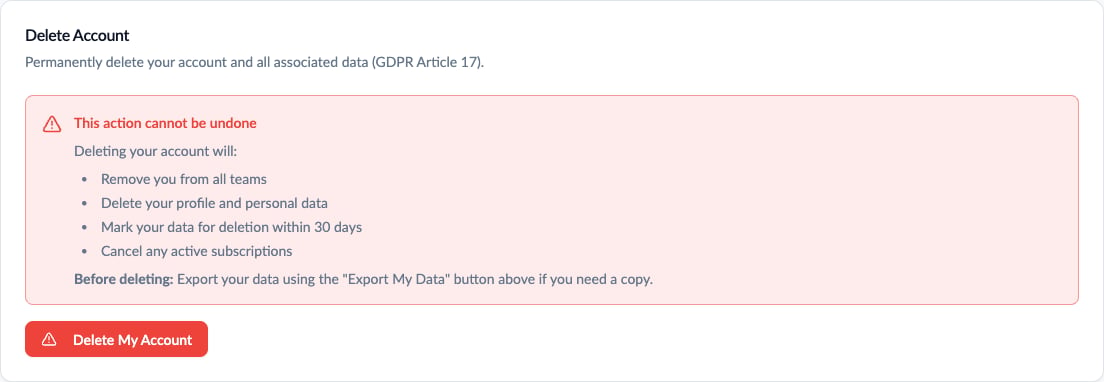 Deleting your account removes you from all teams and deletes your profile and personal data, per GDPR's right to erasure (Article 17). You'll be asked to type your email address to confirm. Teams you belonged to keep running for their remaining members.
Two things to know before you click:
* **You can't delete your account while you're the only owner of a team.** Promote another teammate to Owner first, or [delete the team](/guides/team-management#deleting-your-team).
* **There's a 30-day grace period.** Your account is scheduled for deletion rather than wiped instantly; if you change your mind, log back in and click **Restore My Account** on the banner. After 30 days, deletion is permanent.
If you just want to leave a specific team while keeping your account, ask a team owner or admin to remove you from the members table.
Deleting your account removes you from all teams and deletes your profile and personal data, per GDPR's right to erasure (Article 17). You'll be asked to type your email address to confirm. Teams you belonged to keep running for their remaining members.
Two things to know before you click:
* **You can't delete your account while you're the only owner of a team.** Promote another teammate to Owner first, or [delete the team](/guides/team-management#deleting-your-team).
* **There's a 30-day grace period.** Your account is scheduled for deletion rather than wiped instantly; if you change your mind, log back in and click **Restore My Account** on the banner. After 30 days, deletion is permanent.
If you just want to leave a specific team while keeping your account, ask a team owner or admin to remove you from the members table.